Most B2B companies build their stack reactively. A tool gets added when something breaks, not because anyone mapped out what a growing company actually needs to run smoothly. That works fine for a while, then a company hits 40 or 50 people and discovers three or four categories it never properly solved for.
Rather than another list of specific products to compare, here’s the stack broken down by category, what each one solves, and why it tends to get postponed longer than it should. The last category is the one that determines whether anyone outside the company ever finds the other nine, so treat it as the one to solve for deliberately rather than last.
Table of contents
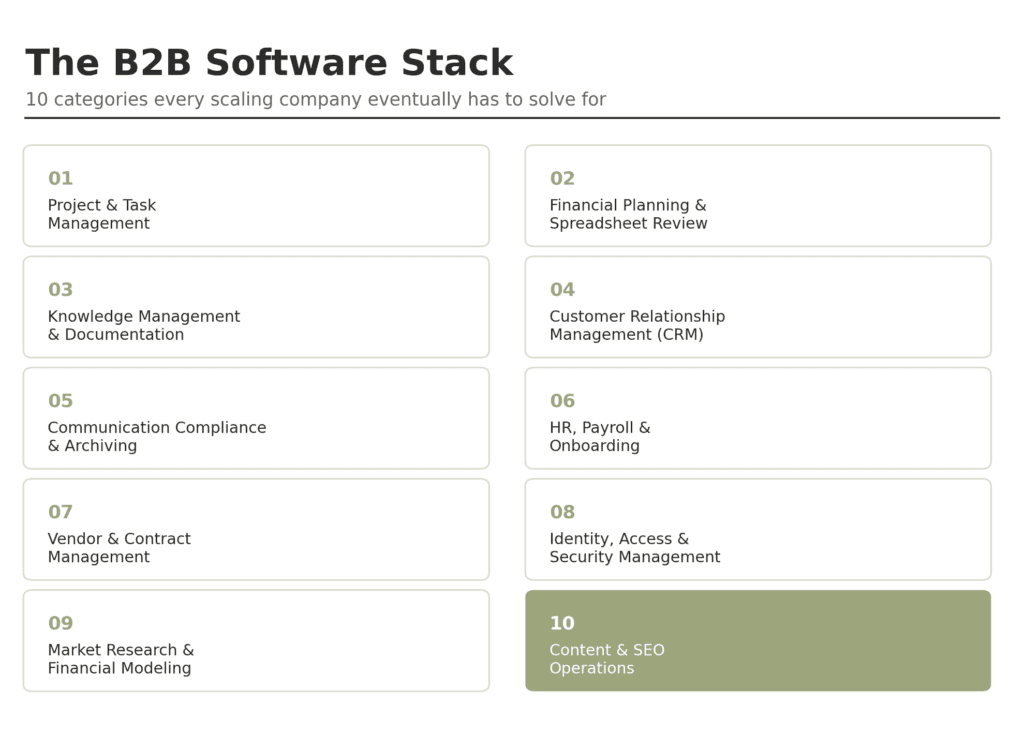
- 1. Project and Task Management
- 2. Financial Planning and Spreadsheet Review
- 3. Knowledge Management and Documentation
- 4. Customer Relationship Management (CRM)
- 5. Communication Compliance and Archiving
- 6. HR, Payroll, and Onboarding
- 7. Vendor and Contract Management
- 8. Identity, Access, and Security Management
- 9. Market Research and Financial Modeling
- 10. Content and SEO Operations
- Why Category Gaps Are More Common Than Tool Gaps
- FAQs
- How do we decide which category to fix first?
- Do we need to solve every category at once?
- How much should a growing company expect to spend on this stack?
- Is it better to buy one all-in-one platform or separate best-in-class tools for each category?
- What’s the clearest sign a company has outgrown its current tool in a category?
1. Project and Task Management
The category most companies solve for earliest, and often the least thoroughly.
Jira handles issue tracking with customizable workflows, sprint planning, and backlog reporting built around agile software teams specifically. It suits teams already comfortable with an issue-tracker mindset, since the same flexibility that makes it powerful for engineering can feel like overkill for a team that just wants a simple task list.
Asana offers task lists, timeline and Gantt-style views, and rule-based workflow automation aimed at cross-functional teams outside of engineering. Its automation rules make it straightforward to standardize how tasks move between stages without writing any code, which is part of why marketing and operations teams specifically have adopted it so widely.
Both tell you what’s assigned and its status. Neither one, by default, verifies that every step in a task actually happened correctly before it gets marked done, which is the layer most teams still have to add themselves.
2. Financial Planning and Spreadsheet Review
Budgets, forecasts, and pricing models tend to live in spreadsheets long after a company has outgrown that being a safe place for them.
QuickBooks covers core accounting, invoicing, and reporting for small and mid-size businesses that don’t yet need a full enterprise resource planning (ERP) system. It tends to reach its limits once a company needs multi-entity consolidation or complex revenue recognition, which is usually the point companies move on from it.
NetSuite is a cloud ERP with real-time financial reporting and multi-entity consolidation, aimed at companies that have outgrown QuickBooks-level tooling. The tradeoff is implementation complexity and cost. It’s rarely the first finance system a company adopts, usually the second or third.
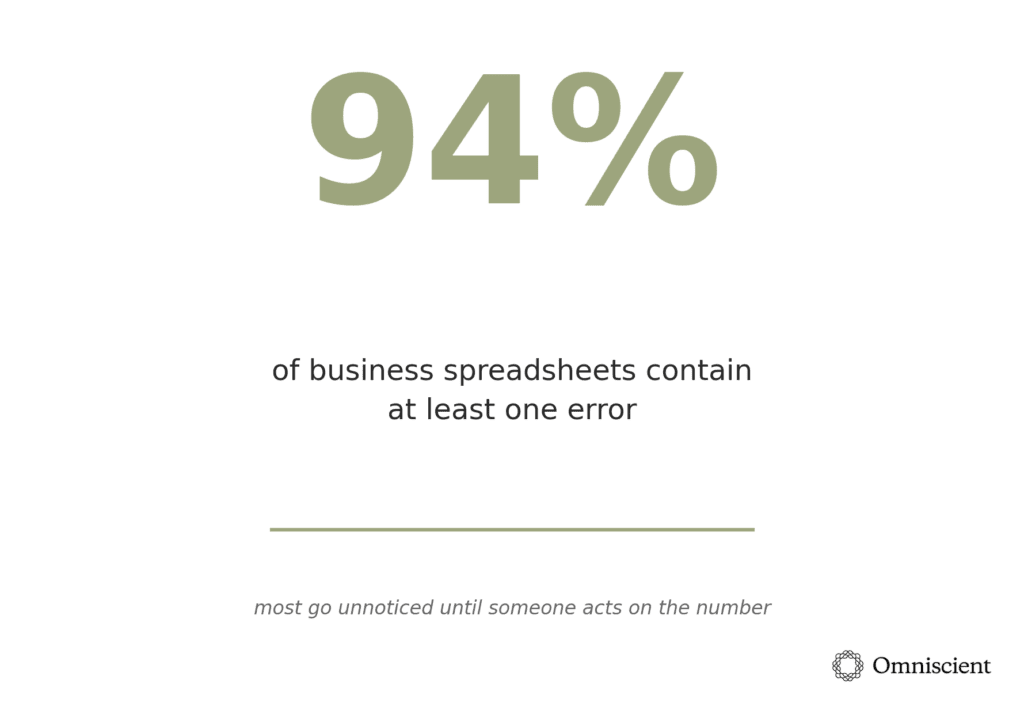
A 2024 study has found that 94% of business spreadsheets contain at least one error, most of which go unnoticed until someone acts on the number. Neither tool above eliminates that risk on its own. Independent review before major planning cycles still catches what the software won’t.
A financial audit is the periodic, formal version of that scrutiny. An auditor works from source transactions rather than the forecasts or reports built on top of them, which is often where errors like misclassified revenue or duplicate entries first get caught, even if the immediate trigger was a bad number in someone’s planning model.
3. Knowledge Management and Documentation
Tools in this category solve the technical problem of having a place to write things down. They don’t solve the harder problem, which is getting anyone to actually maintain and reference what’s written.
Notion is a flexible workspace combining docs, wikis, and databases, with AI agents that can monitor sources and draft updates automatically. Its flexibility can turn into sprawl without someone actively maintaining structure, since almost nothing is enforced by default.
Confluence is a more structured wiki built for teams already on Jira, with deep cross-linking between documentation and tickets plus built-in AI assistance. That tight integration is also its main limitation for teams not already living inside the Atlassian ecosystem.
Slite is an AI knowledge base built as a verified single source of truth for both people and AI agents, with cited search across 20+ connected tools and the Slite Agent that flags docs that have drifted out of date, drafts the fix, and sends it to the owner for approval. That self-maintaining setup requires the Pro plan, and because Slite is cloud-only with fewer connectors than a dedicated enterprise search platform, it can fall short for very large organizations.
4. Customer Relationship Management (CRM)
This category becomes mandatory earlier than almost anything else on this list, since revenue visibility tends to force the issue quickly.
HubSpot combines marketing, sales, and service in one platform with a genuinely usable free CRM tier and built-in automation. Costs climb quickly once a company needs the more advanced marketing or sales hub tiers, which is the most common complaint from teams that started on the free plan.
Salesforce is a highly customizable enterprise CRM with a large third-party app ecosystem and its own AI layer for forecasting and lead scoring. That same customizability often requires dedicated admin or consultant support just to keep the system usable as it grows.
The support desk usually gets picked right after the CRM, since service tickets need to sync with customer records. Before you default to Zendesk, it’s worth comparing Zendesk alternatives by which part of it you actually need to replace: ticketing, live chat, or AI self-service.
The category matters less for whether companies adopt one of these and more for how disciplined they stay about keeping the data inside it accurate.
That discipline pays off fastest once support extends to the phone, since AI-driven eCommerce call center services resolve order-status and return calls by pulling live store data, which makes them only as reliable as the records behind them.
5. Communication Compliance and Archiving
As coordination spreads across email, SMS, WhatsApp, and internal chat, reconstructing what was actually said becomes a real liability, not just an inconvenience. Regulators have made this expensive: Securities and Exchange Commission (SEC) recordkeeping enforcement alone has resulted in more than $2 billion in fines since 2021, largely because companies could account for email but not the other channels where business conversations were actually happening.
Some platforms in this space now offer AI-powered archiving and governance across text messages, WhatsApp, and other channels most compliance programs assume are covered when they aren’t, with automated retention and eDiscovery search built in.
Others focus specifically on website and social media archiving for SEC and Financial Industry Regulatory Authority (FINRA) compliance, with dated, tamper-proof snapshots of public-facing content over time — a narrower job than a full communication archive, but built for the website and social side of the same recordkeeping problem. Here’s an example of each:
Jatheon: an AI-powered archiving and governance platform offering cloud archiving solutions that extend beyond email to text messages, WhatsApp, and other channels most compliance programs assume are covered when they aren’t, with automated retention and eDiscovery search built in.
MirrorWeb: focused specifically on website and social media archiving for SEC and FINRA compliance, with dated, tamper-proof snapshots of public-facing content over time. It’s a narrower tool than a full communication archive, built for the website and social side of the same recordkeeping problem rather than email or messaging.
6. HR, Payroll, and Onboarding
Mature software already serves this category well. The more common failure is adopting one of these tools late enough that years of employee history has to be reconstructed rather than migrated cleanly. Increasingly, that same employee data feeds a related but distinct layer: employee experience software, which owns the day-to-day communication and engagement side of the employee lifecycle that a pure HR system typically doesn’t.
Rippling unifies HR, IT, and payroll in one system, so a single change, like an employee leaving, automatically cascades into payroll and device access. The breadth is the main selling point, though smaller companies sometimes end up paying for modules they don’t fully use yet.
BambooHR is a human resources information system (HRIS) built for small and mid-size companies, with applicant tracking, paid time off (PTO) management, and onboarding checklists included by default. It covers the core HR lifecycle well but leans on integrations rather than native tools for anything more specialized, like multi-country payroll compliance.
HONO is a global HRMS for large enterprises that want HR without dashboards. Employees and HR teams simply ask ERA, its conversational AI, to apply for leave, approve requests, or pull workforce insights, and it completes the task directly in Microsoft Teams or Slack, in the language they speak. Its Zero Touch Payroll runs AI-validated statutory pay cycles across India, the GCC, Southeast Asia, and Africa, managing every entity, currency, and local compliance rule from a single system of record.
7. Vendor and Contract Management
This category is frequently the last one a growing company solves for, usually right after a renewal surprise makes the cost of not solving it obvious.
Ironclad provides AI-assisted contract lifecycle management, with a searchable repository and automated workflows for redlines and approvals. It’s built more for legal and procurement teams managing high contract volume than for a company signing a handful of agreements a year.
DocuSign CLM extends DocuSign’s e-signature tooling into full contract lifecycle management, useful for teams already standardized on DocuSign for signing. The natural fit is a company that wants contract tracking without adding a second, unrelated vendor relationship on top of the one it already has.
Contraxly Contract Management covers contract creation from approved templates, a centralized repository, and tracking for approvals, obligations, and renewals, with AI-powered analysis to flag potential risks. It suits teams looking for transparent per-user pricing, with a free self-hosted option also available.
8. Identity, Access, and Security Management
Left unmanaged, access sprawl accumulates quietly — the former employee who still has login credentials, the contractor who never lost access after the project ended — until a security review or audit forces the question.
Okta provides single sign-on (SSO) and identity governance with adaptive multi-factor authentication across a large catalog of pre-built app integrations. It’s the more common choice for companies that need to support dozens or hundreds of app integrations rather than a handful.
1Password Business handles password and secrets management with centralized access controls and SSO integration, aimed at teams that want strong security without a heavy identity platform. The tradeoff is that it covers less ground than a full identity provider — no adaptive risk scoring or deep app provisioning — in exchange for being simpler to roll out.
9. Market Research and Financial Modeling
Everything above assumes leadership already has reliable data to act on. In practice, that data tends to come from two different places: structured research on customers and markets, and the financial models built to translate that research into an actual decision.
SurveyKing: a market research software platform with a drag-and-drop survey builder, advanced question logic, and built-in tools for pricing studies, benchmarking, and NPS tracking. It’s positioned as a lower-cost alternative to enterprise research platforms, with most core features available for a flat monthly fee rather than a custom enterprise contract.
ExcelComplete: an Excel consulting and financial modeling service that reviews and rebuilds forecasting models, budgets, and reporting spreadsheets for companies too small to justify a full-time finance hire. It’s a natural complement to research data, since good market research still needs a reliable financial model behind it to turn into an actual decision.
10. Content and SEO Operations
This is the category that decides whether any of the other nine ever reach a prospective customer, and it’s the one most scaling companies underinvest in the longest.
Clearscope and Surfer score drafts against what’s already ranking for a target keyword, which keeps a growing content team from guessing at coverage and depth. Ahrefs and Google Search Console show which pages are actually earning clicks and where technical issues are quietly capping organic growth.
None of these tools write the strategy for you. They tell you whether the content you’ve already published is doing its job.
The harder problem in this category isn’t tooling, it’s operating model.
Once a company is publishing regularly, someone has to own keyword prioritization, brief writing, editorial QA, and the technical SEO work that keeps pages indexable in the first place. That’s a full function, not a side project, which is why growth teams increasingly pair their content stack with specialized content planning tools or a dedicated content creation partner rather than asking a generalist marketer to run it alongside four other responsibilities.
Teams going that route often lean on an on-demand creative partner like Superside to cover the design, video, and content production work that would otherwise pile up on an already-stretched marketing team.
The tradeoffs mirror the rest of this list: build the function in-house and you get more institutional knowledge but a slower ramp, or bring in an SEO-focused agency or technical SEO specialist and you get faster execution with less day-to-day control.
Either way, the monthly B2B trend roundups that track what’s actually working across dozens of accounts are a useful sanity check against whatever your own dashboards say.
Why Category Gaps Are More Common Than Tool Gaps
Most companies aren’t missing an entire category outright. They’re missing the mature version of a category they adopted early and never revisited: a task tracker with no verification layer, a spreadsheet nobody re-audits, an archive that only covers email, a content function with no one accountable for whether it ranks. The fix usually isn’t a new tool. It’s finally treating an existing category as seriously as the size of the company now demands.
If you’re not sure which category to prioritize, or you want a second opinion on whether your content and SEO operations can support the growth stage you’re at, talk to Omniscient Digital about what a properly staffed function looks like for a company your size.
FAQs
How do we decide which category to fix first?
Look at where a mistake has already cost real time or money, not which category feels most urgent in theory. A missed step that reached a customer points to task management. A decision based on a bad number points to financial review. A near-miss on a messaging channel points to communication archiving. Content that isn’t converting despite steady traffic points to content and SEO operations. The category with a recent, concrete failure is usually the one worth fixing first.
Do we need to solve every category at once?
No, and trying to usually backfires. Most companies handle these in whatever order pain shows up, which is fine. The mistake isn’t sequencing them, it’s assuming a category is “done” once a tool is in place and never revisiting whether it still fits as the company grows.
How much should a growing company expect to spend on this stack?
It varies widely by category and headcount, but a reasonable pattern is spending more on the categories tied directly to revenue or compliance risk (CRM, financial review, communication archiving, content and SEO operations) and less on categories where a lightweight tool is genuinely sufficient, a basic knowledge base, for instance. Cost usually isn’t the limiting factor. Attention and follow-through are.
Is it better to buy one all-in-one platform or separate best-in-class tools for each category?
Both approaches work, and the right one depends on how much internal capacity exists to manage multiple vendor relationships. All-in-one platforms trade some depth for simplicity. Point solutions usually go deeper in their specific category but require more coordination to keep data consistent across tools.
Product data is a common place that coordination breaks down, which is why companies managing catalogs across several channels often add a headless PIM to the stack specifically to keep that one dataset in sync everywhere it’s used.
What’s the clearest sign a company has outgrown its current tool in a category?
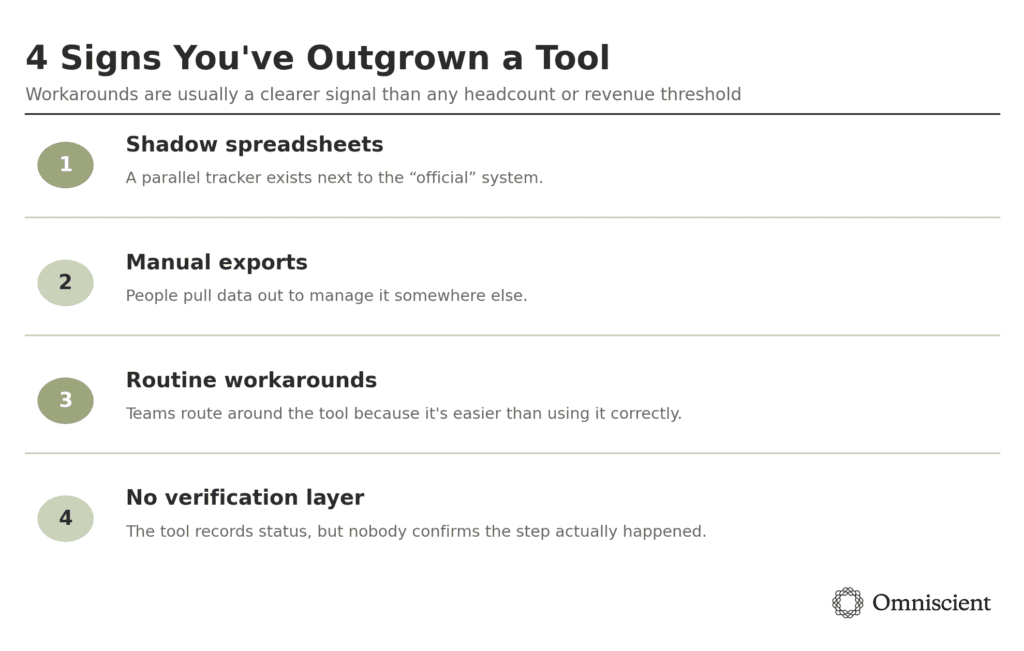
Workarounds. When people start keeping a shadow spreadsheet next to the “official” tool, exporting data to manage it somewhere else, or routing around a system because it’s easier than using it correctly, that’s usually a clearer signal than any headcount or revenue threshold.